ESP-NOW is a connectionless communication protocol developed by Espressif for wireless data communication between ESP boards. It allows ESP boards like ESP8266, ESP32, ESP32-C, and ESP32-S to communicate directly without a router or Internet connectivity. This enables a private wireless network among ESP devices, eliminating the need for a router, gateway, or Internet access for data communication.
The protocol allows ESP devices to communicate small packets of data, limited to a maximum of 250 bytes, instantly within a range of 50 to 100 meters. It can send control commands to home, office, or industrial automation systems devices. It’s also useful for transmitting sensor data in a sensor network where all devices are powered by ESP-based microcontrollers.
ESP devices can use one-way communication, where one device transmits data packets and another receives them, or two-way communication, where both devices send and receive data packets.
In this project, we’ll demonstrate one- and two-way communication between two ESP32 boards using ESP-NOW.
Components required
- ESP32 x2
- LED x2
- 330Ω Resistors x2
- Pushbuttons x2
Circuit connections
No circuit connections are required to test one-way communication between ESP32 boards on ESP-NOW. Two ESP boards communicate a data structure that’s monitored on Arduino’s Serial Monitor.
To test two-way communication, interface an LED at the GPIO23 and a pushbutton at GPIO22 of both ESP32 boards. The circuit for the two boards will be same as shown in the circuit diagram below.
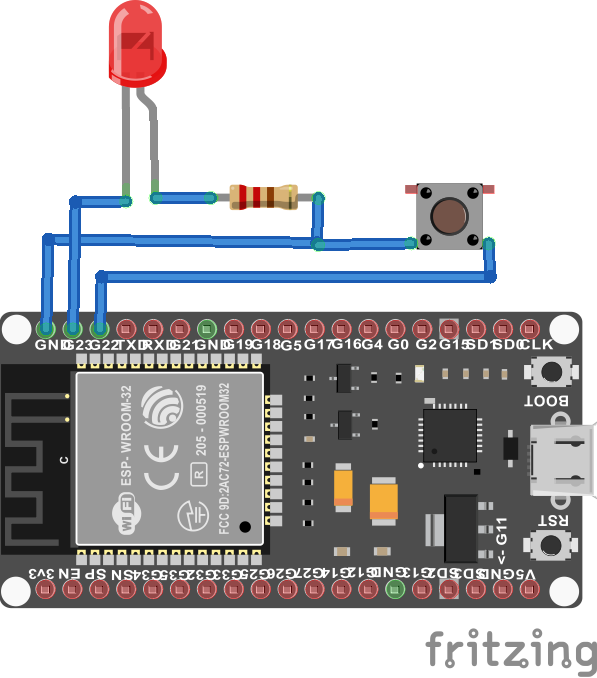
In two-way communication, both ESP boards are programmed to broadcast a command and toggle all of the LEDs connected to them.
The MAC address
To transmit data packets using ESP-NOW, the board transmitting the messages must know the MAC address of the receiver ESP board. To attain the address of an ESP board, upload the following sketch to it, and note the MAC address from Arduino’s Serial Monitor.
#include “WiFi.h”
void setup() {
Serial.begin(115200);
WiFi.mode(WIFI_MODE_STA);
delay(1000);
Serial.print(“MAC Address: “);
Serial.println(WiFi.macAddress());
delay(1000);
}
void loop() {
}
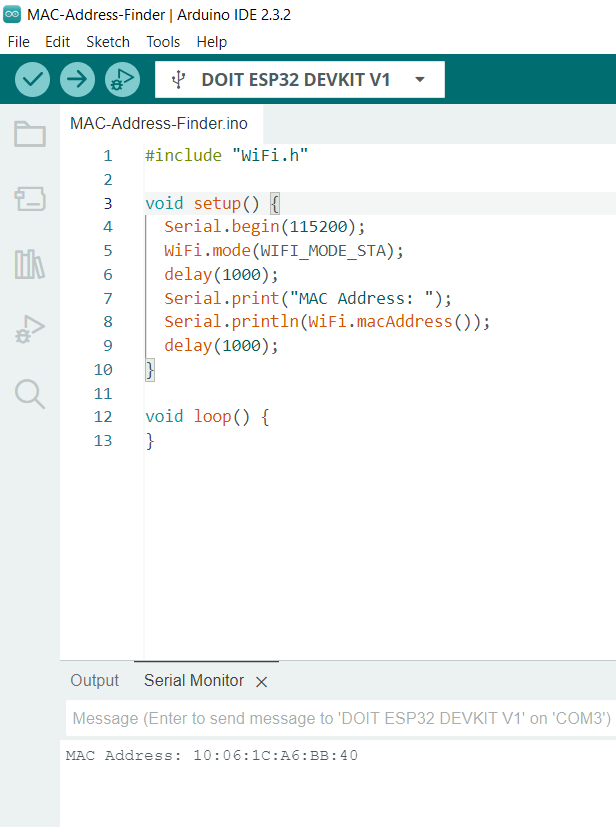
For one of the ESP boards, we received this MAC address:
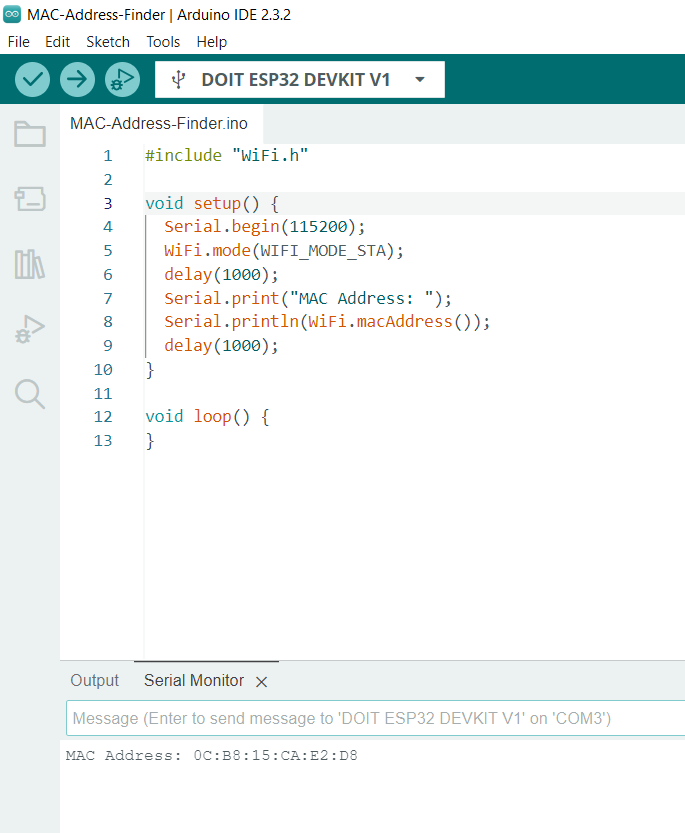
For the other ESP32 board, we received the following MAC address:
For one-way data communication using ESP-NOW, select an ESP32 board to be programmed as the data transmitter and upload the following sketch to it. Note that the transmitter sketch requires the MAC address of the receiver ESP32. Ensure you replace the receiver MAC address in the sketch with the MAC address of your own ESP32 board.
The one-way transmitter sketch explained
The sketch begins by importing the esp_now and WiFi libraries. The esp_now library is required for implementing data communication by the ESP board using the ESP-NOW protocol, while the WiFi library is needed to configure the board to station mode.
Variables are declared to store different types of data, including the MAC address of the receiver ESP32 board. A data structure is defined and instantiated to transmit the data over ESP-NOW. An object for peer information is also instantiated.
The user-defined function OnDataSent() is a callback function that notifies the status of the packet delivery to the receiver ESP32 over ESP-NOW.
In the setup() function, the baud rate for serial communication with the Arduino IDE’s Serial Monitor is set to 115200 bps. The ESP board is configured to station mode for WiFi. The ESP-NOW protocol is initialized by calling the esp_now_init() function. Once the ESP board is initialized, the callback function is registered to send data by calling the esp_now_register_send_cb() function. The peer information is registered by calling the memcpy() function, and the peer connection with the other ESP32 board is set up by calling the esp_now_add_peer() function.
The variables are assigned random values in the loop() function and added to the data structure. The data structure is then transmitted to the receiver ESP32 board by calling the esp_now_send() function.
The one-way receiver sketch
The receiver ESP32 board, with the MAC address hard-coded into the transmitter ESP32 board, should be programmed using the following sketch.
The one-way receiver sketch explained
The sketch begins by importing the esp_now and WiFi libraries. The esp_now library is required for implementing data communication by the ESP board using the ESP-NOW protocol, while the WiFi library is needed to configure the board to station mode. A similar data structure to the one created on the transmitter side is defined on the receiver side as well.
A callback function, OnDataRecv(), is defined to retrieve the data values received from the transmitter ESP32 board and display them on the Serial Monitor.
In the setup() function, the baud rate for serial communication with the Arduino IDE’s Serial Monitor is set to 115200 bps. The ESP board is configured to station mode for WiFi. The ESP-NOW protocol is initialized by calling the esp_now_init() function. Once the ESP board is initialized, the callback function is registered to receive data by calling the esp_now_register_recv_cb() function.
The loop() function remains empty, as we do not need to poll the controller to receive data. The callback function to obtain data is triggered as soon as the data is delivered by the transmitter ESP32 board.
How it works
The transmitter ESP32 board wraps the data to be sent to the receiver ESP32 board into a data structure. This structure defines the data packet to be transmitted through the ESP-NOW protocol. Both ESP32 boards are configured to operate in WiFi station mode, and the ESP-NOW protocol is initialized on each board.
The transmitter ESP32 uses the MAC address of the receiver ESP32 to set up a peer connection. Data transmission is initiated by calling a callback function registered through the esp_now_register_send_cb() method. Upon receiving the data, the receiver ESP32 triggers a callback function registered through the esp_now_register_recv_cb() method.
The results
The following video demonstrates one ESP32 board communicating data in real time to another ESP32 board using the ESP-NOW protocol.
The two-way ESP-NOW sketch
In a two-way communication test, an LED and a pushbutton are interfaced with both ESP32 boards. There must be at least two boards to test communication, but several ESP32s can be added to the network. All of the boards will have same circuit and same sketch.
Next, upload the sketch that follows to each board.
The code
The sketch begins by importing the esp_now and WiFi libraries. Variables are defined to track the status of the LED and pushbutton and their respective pin assignments. A user-defined function, formatMacAddress(), is created to format the ESP board’s MAC address.
The callback function receiveCallBack() is defined to handle actions upon receiving data. This function deciphers the received data packet and toggles the LED’s status accordingly. Another callback function, sendCallBack(), is defined to indicate the status of the data packet transmitted to other ESP32 boards.
The user-defined function broadcast() initializes the ESP-NOW protocol and establishes a peer connection with other boards.
In the setup() function, the baud rate for serial debugging is set to 115200 bps. The ESP board is configured to WiFi station mode, and the ESP-NOW protocol is initialized. The callback functions for receiving and transmitting data packets are registered.
The callback functions update the status of the LED and the pushbutton. In the loop() function, the current status of the LED and pushbutton is monitored, and the LED is turned on or off accordingly.
How it works
Each ESP32 board has the same circuit and code. When the pushbutton on any ESP device is pressed, the command to toggle the status of the LED is broadcast to all other ESP boards. The same command is executed on the ESP32 that initiates the data packet. Unlike the previous one-sender, one-receiver approach, where the receiver ESP32’s MAC address is hard-coded into the transmitter ESP32, this setup uses a broadcast address. Only ESP32 boards with the same broadcast address receive the transmitted data packets.
The result
The following video demonstrates the use of the ESP-NOW protocol to broadcast data packets among multiple ESP devices sharing a common broadcast address within a network.
You may also like:



Filed Under: Electronic Projects, Video
Questions related to this article?
👉Ask and discuss on Electro-Tech-Online.com and EDAboard.com forums.
Tell Us What You Think!!
You must be logged in to post a comment.