Arduino force-sensitive resistor is a new family member of Arduino traditional resistive sensors. Resistive sensors respond to any physical quantity change by varying their resistance. A fixed voltage is applied across the sensor upon resistance change voltage drops. This voltage drop can be sampled, and physical quantity change can be measured.
Generally, in a resistive sensor, copper or some other material(conductor) is engraved on the board in concentric circles, single line twisted parallel or rectangular orientation. The conductor line is divided into two halves by disjointing it in the middle. Voltage is applied to one half of the conductor, and another half remains open.
When the conductor is exposed to physical quantity (physically touched etc.) and a passage is created between the two halves, the voltage starts flowing from one half to the other. Voltage value depends on the conductor line width or area/thickness of the conductor under-voltage path.
Popular Arduino resistive sensors are rainwater and soil moisture sensors. Both work on the same principle. The rainwater sensor has a conducting line. Whereas, soil moisture sensor has two legs of conducting material.

Water tank level sensor is the best example of resistive sensors. Two copper wires are lowered in a tank. Across one wire, voltage is applied, and the other one is open. When water hits the two wires path, the voltage starts flowing from one wire towards the other. Knowing the depth and volume of the tank water quantity equation can easily be derived.
Disadvantages of the resistive sensors?
- They lack precision (Even among sensors).
- They are bulky and drain a lot of energy.
- The conductor on the sensor plate corrodes too quickly.
The biggest advantage is they are cheap and even can be made at home.
Force-sensitive resistor
A force-sensitive resistor (FSR) is a new member of resistive sensors. It can measure the force applied across it. The sensor is an improved version of its predecessors. FSR is more flexible, precise, drains less energy, and does not corrodes quickly.
How?
Conducting material is pasted on a flexible membrane. The membrane is toasted between two semiconductor substrates. Substrates are apart from the membrane. Each press path is created between membrane and semiconductor. On release, the path breaks. Like the touch screen, the conducting material is wrapped in a plastic casing, which is airtight. Only the pins are exposed to the external environment.
Conducting material on the sensor does not lose electrical characteristics, and hence precise measurements can be taken for a long time.
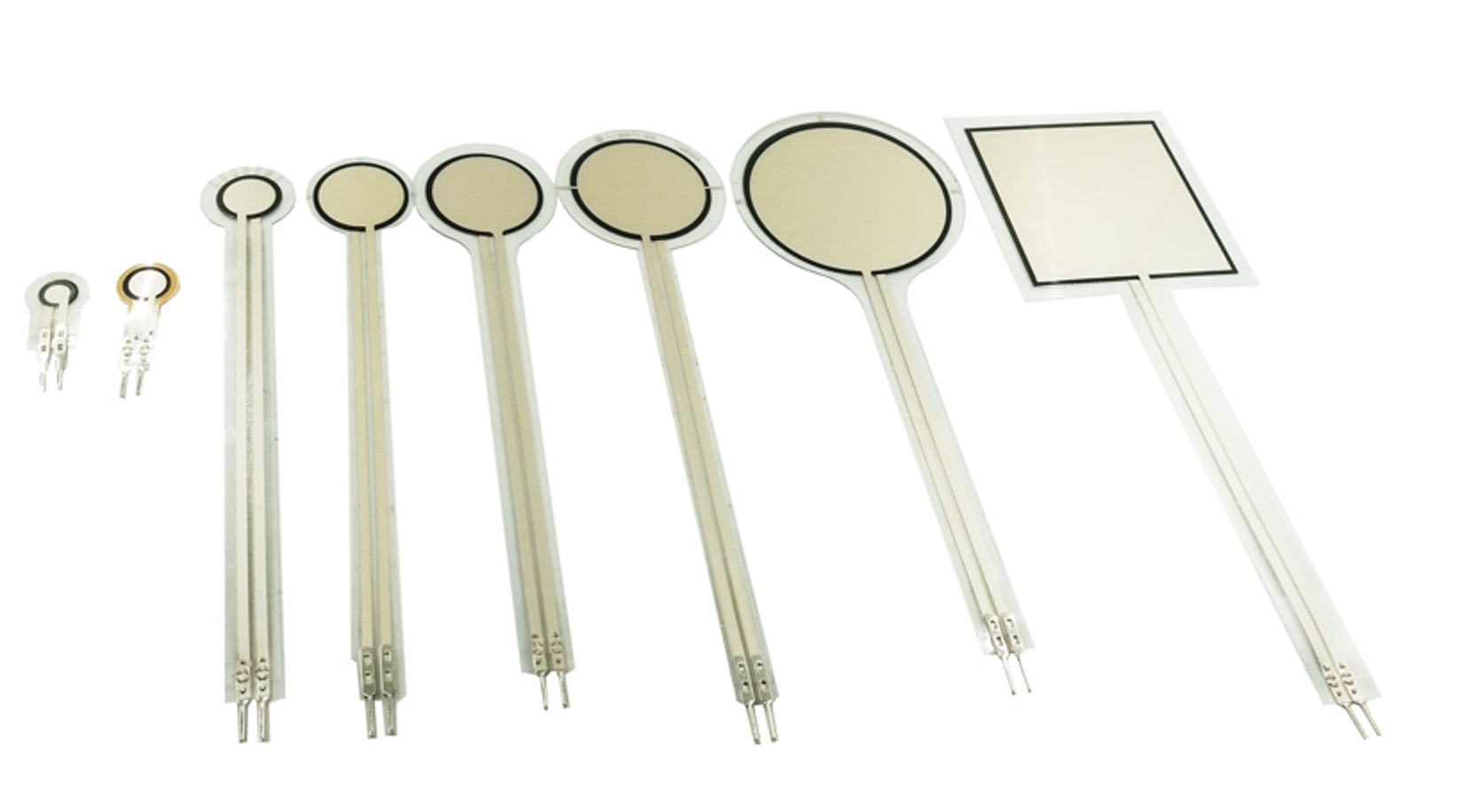
How FSR works?
FSR works the same as other resistive sensors. FSR only retains the total resistance parameter same throughout its life. Its total resistance does not degrade; also, the change in resistance during the measurement is precise.
FSR is like a variable resistor in the circuit. Suppose we attach a fixed resistor in series with FSR and measure the voltage drop/gain across the fixed resistor. We can easily interpret the resistance change value across FSR. Resistance change across FSR is due to external pressure applied.
The circuit will act like a voltage divider. FSR, a fixed resistor resistance, is known. The applied voltage is also known. We can easily calculate the voltage across the fixed resistor using the voltage divider formula.

Led Bar Graph with Arduino and FSR (Force-sensitive Resistor)
Let’s play with the LED bar graph example. I modified the original example (circuit and code) available on the Arduino platform. In the original example, instead of FSR, a potentiometer is used, and there is no concept of the voltage divider. Also, LEDs are powered by GPIO’s in the original example, which is not a good idea, especially when you have many power-hungry LEDs in the circuit.
I decided to power all the led’s from an external power source. You can use Arduino onboard regulator 5v output to power LEDs. On-board regulators can manage power easily. Keep in mind all the LEDs can’t be switched on at once. They will drain all power and most probably resets the Arduino. I advise you to power your Arduino through a 12-volt power pully. Avoid PC USB power.
Force-sensitive resistor output is connected with analog 0 pins of Arduino, 10k resistor is used in series with the FSR.
Important: Arduino operates on 5 volts, so input to an Analog 0 pin of Arduino must not increase 5 volts. Select a fixed resistor resistance carefully depending on the FSR resistance. The voltage across the fixed resistor must not increase by 5 volts.
In the original case(below diagram), LEDs are powered by GPIOs, with no voltage divider instead variable resistor.

Project code
LEDs will turn on depending on the pressure applied to FSR. The voltage across the fixed-resistor can be seen on the Arduino serial monitor.
First, I declared the Arduino analog pin. Then an array is defined, which contains the LEDs reference number GPIOs on Arduino. In the setup, serial communication is activated at 9600 bits per second, and GPIO pins for LEDs are declared output.
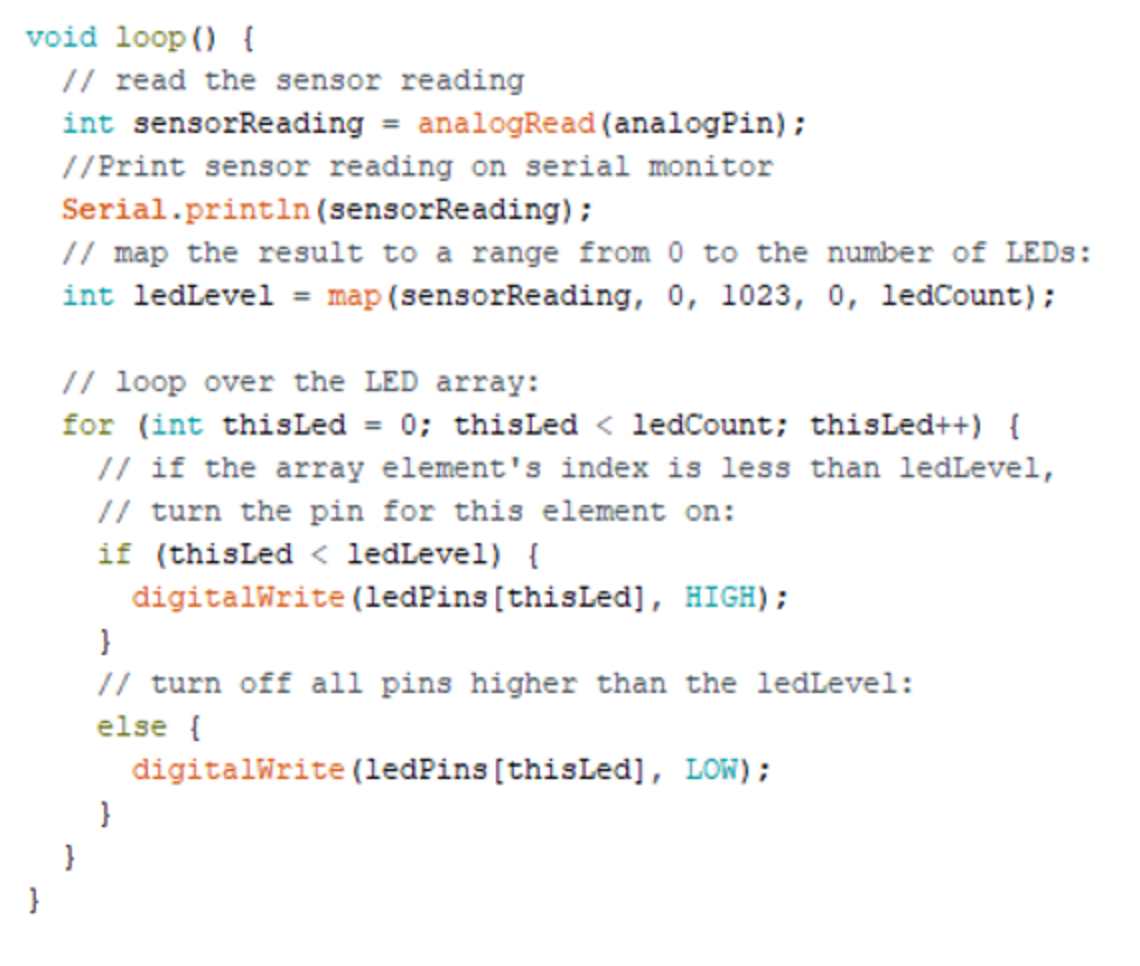
The voltage across the fixed resistor is read continuously and printed on the serial monitor in the loop function. Next, the led GPIOs are mapped to specific numbers in the range between 0 to 1023. Range 0 to 1023 is the ADC (10-bit) resolution. In our case, 5 volts at Analog 0 pin means Arduino will read it and provide us 1023 representing 5 volts. If 2.5 volts at A0, then Arduino will provide us 512. So, 10 LEDs are mapped as LED1 (0-101), Led2 (102-204), and LED10(922-1023).
In the for loop, LEDs are switching on and off. Suppose if the voltage read value is 600, then LED1,2,3,4,5,6 will switch on. LEDs will form a pattern if you slightly press the FSR and starts increasing pressure. The on-release pattern will be observed in a reverse direction.
Applications
Force-sensitive resistors can be used to measure the force experienced during accidents (Installed in vehicles). The voltage variation property of resistor sensors can be utilized to make a DIY pad through which mouse cursor can be controlled (Matlab Simulink application to cursor control).
Lets’ DIY the project: Where to purchase parts?
Mouser: LEDs
Mouser: Resistors
Mouser: Arduino
Mouser: FSR
Mouser: Breadboard
Filed Under: Arduino Projects, Tech Articles
Questions related to this article?
👉Ask and discuss on Electro-Tech-Online.com and EDAboard.com forums.
Tell Us What You Think!!
You must be logged in to post a comment.