Home automation is quickly becoming mainstream, letting residents easily connect with and remotely control appliances or security systems. To support these efforts, there are several popular “smart” home systems available, such as Amazon Hub, Google Nest, Amazon Echo, Apple HomeKit, Hue Smart Hub, and others.
For the hobbyist or do-it-yourselfer (DIY), customized home automation systems can also be built using Zigbee, Z-wave, Bluetooth, or a simple WiFi network. What’s ideal about a Bluetooth or WiFi network is that it requires no additional circuits or devices.
A central hub controls every home automation system. Any microcomputer (like Raspberry Pi or Beaglebone) can serve as the hub for DIY smart homes. Such microcomputers easily connect to WiFi or Bluetooth without additional circuitry and can run 24×7.
The hub controls smart devices with the support of automation software, which is what connects and communicates with the Bluetooth or WiFi network. It provides an interface and means to control home appliances or devices. For the DIYs, this software should be based on open protocols.
In this article, we’ll present a few quality home automation software systems that are open-source and free to use.
As mentioned, a home automation hub can be set up to control various appliances, as well as lights, thermostats, smoke detectors, smart TVs, sound systems, locks, monitoring systems (such as video doorbells), and more. They can even work with domestic robots, which are electronic devices designed to manage tasks around the house.
Here are a few open-source home automation software options:
1. OpenHAB
2. Node-Red
3. Domoticz
4. Home Assistant
5. OpenMotics
6. HomeGenie
7. Calaos
8. PiDome
OpenHAB – currently one of the top open-source home automation software options. It’s a flexible and modular platform for a smart home hub. Home appliances or devices are connected to this software via plugins. (Note: some plugins require a hub to connect via a wireless network, such as WAP. Others might use a USB or a Bluetooth adaptor.)
OpenHAB offers a pluggable architecture that lets users connect with more than 200 technologies. It’s possible to control devices through scripts, event-based triggers, voice control, or rules.
This software can be installed on all major operating systems, including Linux, Windows, macOS, iOS, Android, Raspberry Pi, Docker, etc. It can run with or without the Cloud and can integrate with Google Assistant, Apple HomeKit, Amazon Alexa, etc.
If using Raspberry Pi, a ready-to-use image “openHABian” is available and comes with preconfigured settings and software. OpenHAB can also be installed on Raspbian OS or any Debian-based Linux derivative that runs on Raspberry Pi. Installation requires custom configurations and settings.
Node-Red – is an open-source programming tool from IBM. The tool is used for wiring hardware devices, online services, and application programming interfaces, and easily works with any home automation software like Home Assistant.
Node-Red provides a browser-based editor to define the flows between network nodes. These flows can then be deployed to a runtime like Node.js with a single click. An online flow library is available. Makers can also define their own JavaScript functions to control things.
This software is often set up on Node.js because of its non-blocking and event-driven server. Node-Red can be configured on Raspberry Pi, Beaglebone, and Android, and can interact with Arduino boards or under Docker. It supports several Cloud platforms including Microsoft Azure, IBM Cloud, and Amazon Web Services.
Node-Red lets users integrate Home Assistant or other home automation systems with various hardware and application platforms. A basic understanding of Python or Java is ideal.

Domoticz – is open-source automation software that works with Raspberry Pi, Windows, Linux, macOS, Docker, FreeNAS, and Synology NAS. It has a scalable HTML5 web frontend accessible on any desktop or mobile. Devices controlled via Domoticz are “protocols” and the software interfaces are “APIs.”
Domoticz is designed to work with a single cable, and all of the devices are controlled by a single program, using MQTT, TCP/IP, HTTP, Z-wave, Zigbee, LoRa, Bluetooth, DomBus, 1-wire, Infrared, 2.4 GHz, 315/433 MHz, 868/915 MHz, or X10. The “protocols” can be connected to the software using their own plugins or generic Python plugins. Makers can also develop Python plugins. Typical Domoticz-controlled devices include ones for lighting, gardening, security, and entertainment.

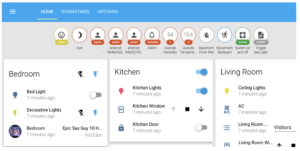
Home Assistant – is one of the most popular types of home automation software because of its versatility. It can remotely control lights, fans, smart TVs, video doorbells, home security, and many other devices. In fact, there are more than 2,000 smart devices that work with Home Assistant. The software can be installed on Raspberry Pi or a local server as an operating system or a stand-alone container installation.
To install, use a supervisor application or Python’s virtual environment. Home Assistant installs on Raspberry Pi, Linux, Windows, Odroid, Asus Tinkerboard, macOS, NAS (like VirtualBox), or any generic x86-64 system. If used with Node-Red, Home Assistant can virtually control any smart device.
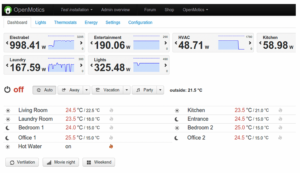
OpenMotics – is a complete software and hardware platform for home automation, supporting more than 5,700 smart modules for controlling home devices and appliances. It’s open, wired, and modular. The software can be accessed through a local interface, mobile app, or a free Cloud service. It can also integrate with Google Assistant, Digitale Woonassistent, Davis Weatherstation, Hevlar DALI routers, Elsner Weatherstation, Endura Delta, Google Calender, Elvaco CME gateway, SMAtcpmodbus (for monitoring solar panels), SimaticS7, Cogengreen, VitoGateconfigurator, Polysun, Sense, PowerDale Nexxtender, Metriot, and Energy Management System.
OpenMotics allows for the customization of PCB, firmware, scripts, software, and bill of materials. It’s ideal for building a smart home and a zero-energy home.
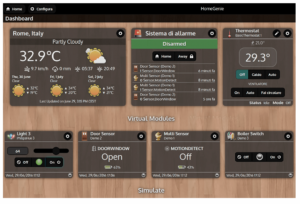
HomeGenie – is a web-based home automation software that installs on any single-board computer like Raspberry Pi. It offers a built-in program editor and API support to control GPIO, SPI, and I2C hardware programming. It also offers several useful applications and widgets to control sensors and devices like DHT-11, DHT-22, Eden Board, Grove LED bar, Grove RGB LED, HC-SR04 ultrasonic sensors, HD44780 LCD, MCP23017 GPIO modules, MCP3008 analog input modules, and SSD1306 OLED.
The source code for this open-source software is available on GitHub for modifications, contributions, and improvements. The software can integrate with various devices including RFXCom, UPnP/DLNA, Z-Wave, Philips Hue, X10, KNX, and Insteon. It’s also possible to configure RFID tags with HomeGenie.
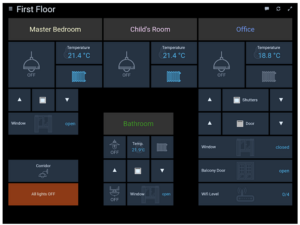
Calaos – licensed under GPLv3, Calaos is open automation software that installs on Raspberry Pi B, Cubieboard, Cubieboard2, Mele1000, Mele2000, Mele1000G, Mele2000G, MSI WindBox, and any Intel-based PC. This software can integrate with GPIO (like Raspberry Pi GPIO card), 1-wire, Zibase, and the internet of things.
Calaos is available as a server application, web app, touchscreen user interface, and an Android or iOS app. Or, consider it as a Linux distribution with everything preconfigured. It’s accessed through an HTML5 web app.
It’s possible to control all major home appliances with a single click using Calaos. It’s also easy to integrate it with an Echo device, OpenWeather Map, IPX800, or OpenKarotz.

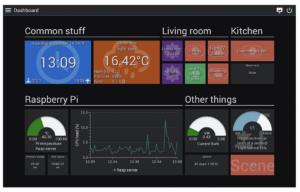
PiDome – is open-source automation software, specifically designed for Raspberry Pi. The server program installs on RPi, but the client program can be run on a phone, tablet, or desktop computer, as well as on embedded platforms. Users can even design their own dashboards per device — and create dashboards bound to rooms.
The dashboard updates in real-time and integrate with various components, devices, media plugins, weather APIs, and other devices and services. PiDome can also integrate with MQTT protocol, device plugins (like Philips Hue and PlugWise), hardware platforms (like Bluetooth LE, MySensors, PiFace, RFXCOM, UniPi, Z-Wave, and ZigBee), messaging platforms with Asterisk, SMS, Email, and PushBullet, multimedia platforms (like UPnP and Kodi), IFTTT online service, and weather plugins (like BuienRadar and OpenWeatherMap).
You may also like:

Filed Under: Arduino Projects, BeagleBone, Home Automation, Software, Tech Articles
Questions related to this article?
👉Ask and discuss on EDAboard.com and Electro-Tech-Online.com forums.
Tell Us What You Think!!
You must be logged in to post a comment.