Small organic light-emitting diode (OLED) displays are commonly used in embedded devices. This is because OLEDs generally cost the same as character LCDs but feature a better user interface (UI) and user experience (UX).
Typically, embedded OLED screens are used to display textual messages, but what about videos? For example, is it possible to playback a video on a small 0.96″ OLED?
This is no problem for an OLED, which offers little limitations on its display. The challenge herein lies with the microcontroller. Microcontrollers are designed for simple tasks that does not include video processing. So, displaying a small video clip on an 0.96″ OLED requires a trick of the trade.
To be clear, microcontrollers cannot be programmed to process video formats. However, it is possible to extract sufficient frames from a video clip and convert those frames into executable code. When the frames are displayed in a sequence, it will appear as though the same video clip is running via the microcontroller.
For this project, we’ll prepare and play a video clip on a monochrome SSD1306 OLED.
Choose your microcontroller
It’s important to note that not all microcontrollers will be up to the task of displaying selective frames from a video clip — even if these frames are only a second or two in length.
For instance, the maximum flash memory on Arduino boards is typically 256 Kb. This is insufficient to store the code of five or more video frames that are 128×64 in dimension. So, for this project, we’ll need a microcontroller with a large flash memory.
ESP32 is one option that’s suitable for video playback since its memory ranges from 4 to 16 MB, which is enough to store the code of multiple frames. To ensure reliability, we’ll trim down a video clip that’s 12 seconds long into 36 frames so ESP32 can play back the frames with ease.
Interfacing SSD1306 OLED with ESP32
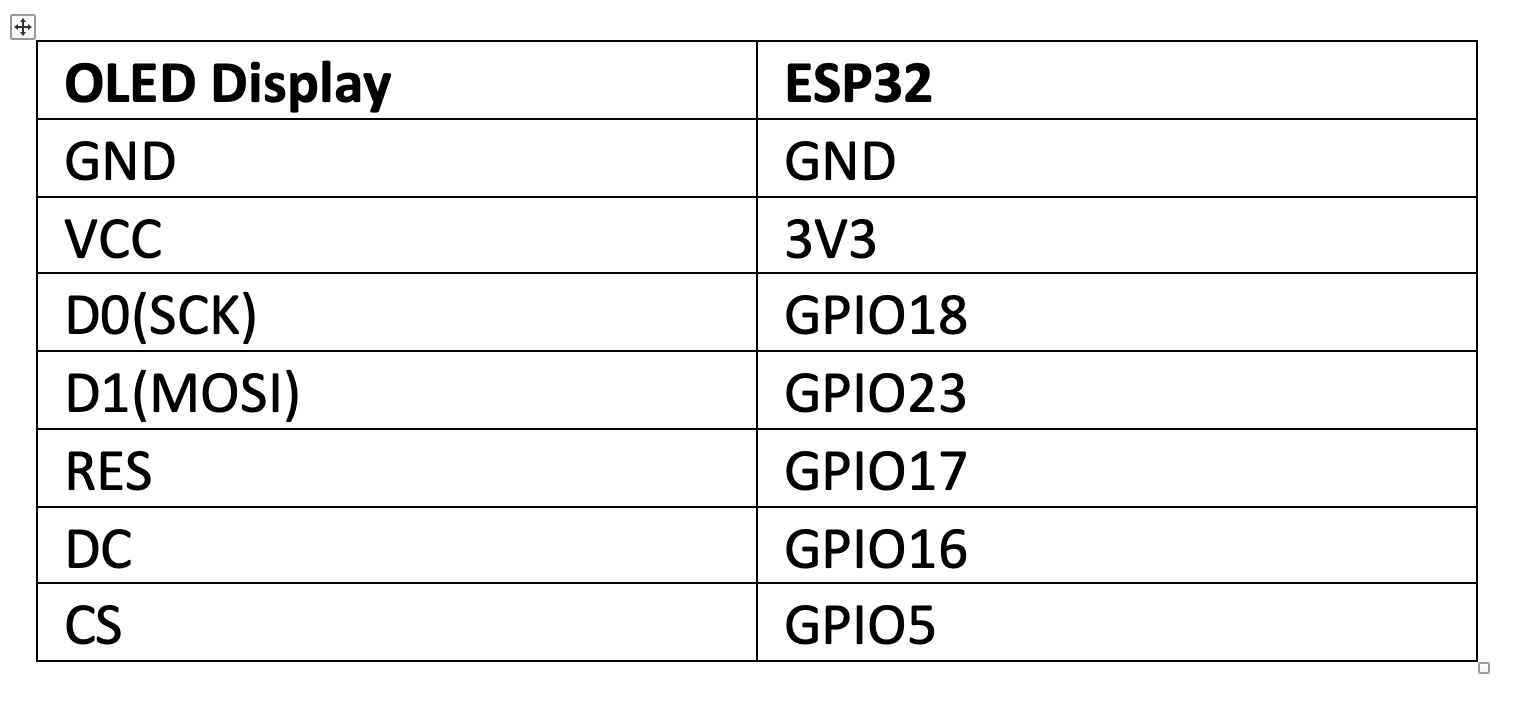
First, it’s necessary to interface the OLED with our microcontroller. Here, we’re using a monochrome 0.96″ SSD1306 OLED and ESP32. A 7-pin OLED module connects with ESP32 through an SPI interface.
The SSD1306 OLED and ESP32 have the following circuit connections…
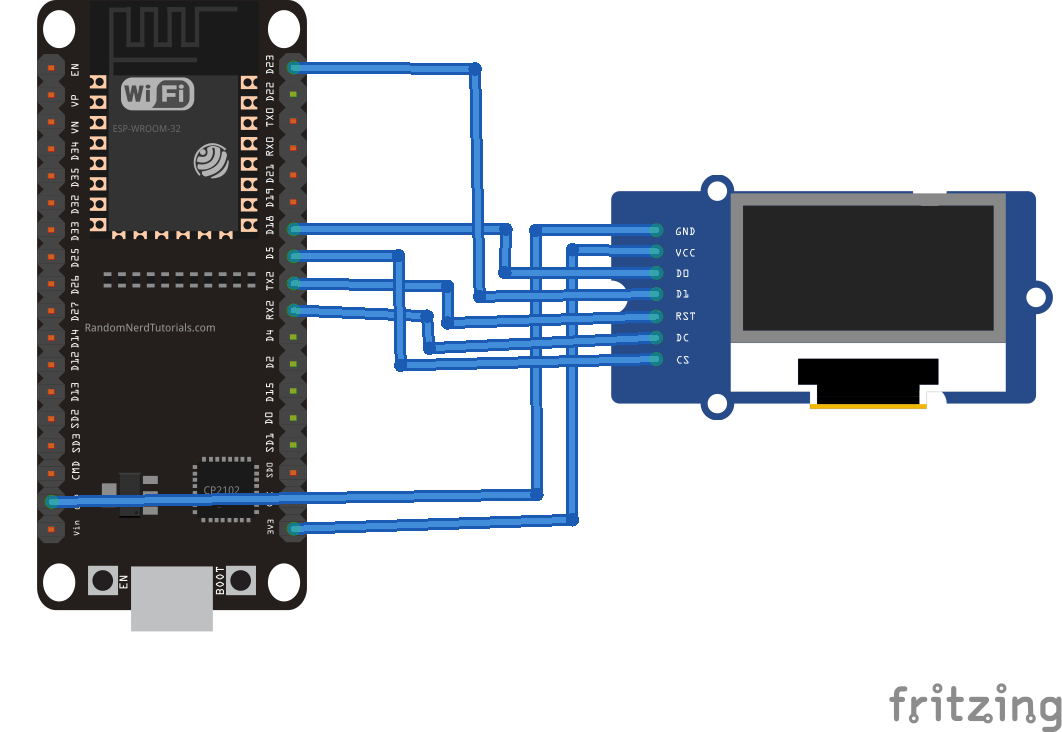
The SSD1306 OLED, interfaced with ESP32, has this circuit diagram:
The video clip
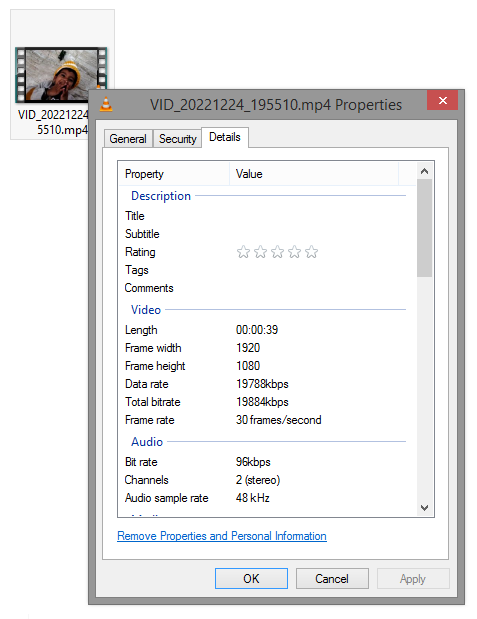
You can take any video clip that’s a few seconds in length. In this project, we’ve selected one that’s about 12 seconds in length. This clip has a resolution of 1920×1080 and a frame rate of 30 fps.
Preparing the video
The video clip is an RGB video, but we’ll be playing it on a monochrome OLED, which means it must be grayscale. It’s easy to convert the clip to grayscale video by using an online video editor. We used MovieMakerOnline.
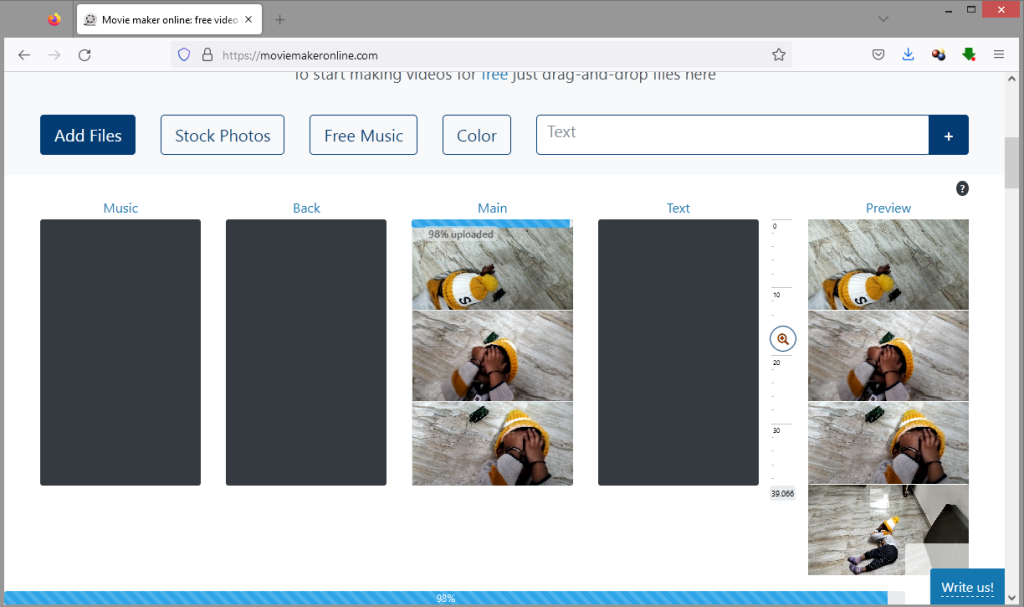
If you use the same tool, simply navigate to moviemakeronline.com and the upload target video file by clicking the “Add File” icon.
After the file is uploaded, click on the “Effects” button.

Next, click the “Add Effect” button.

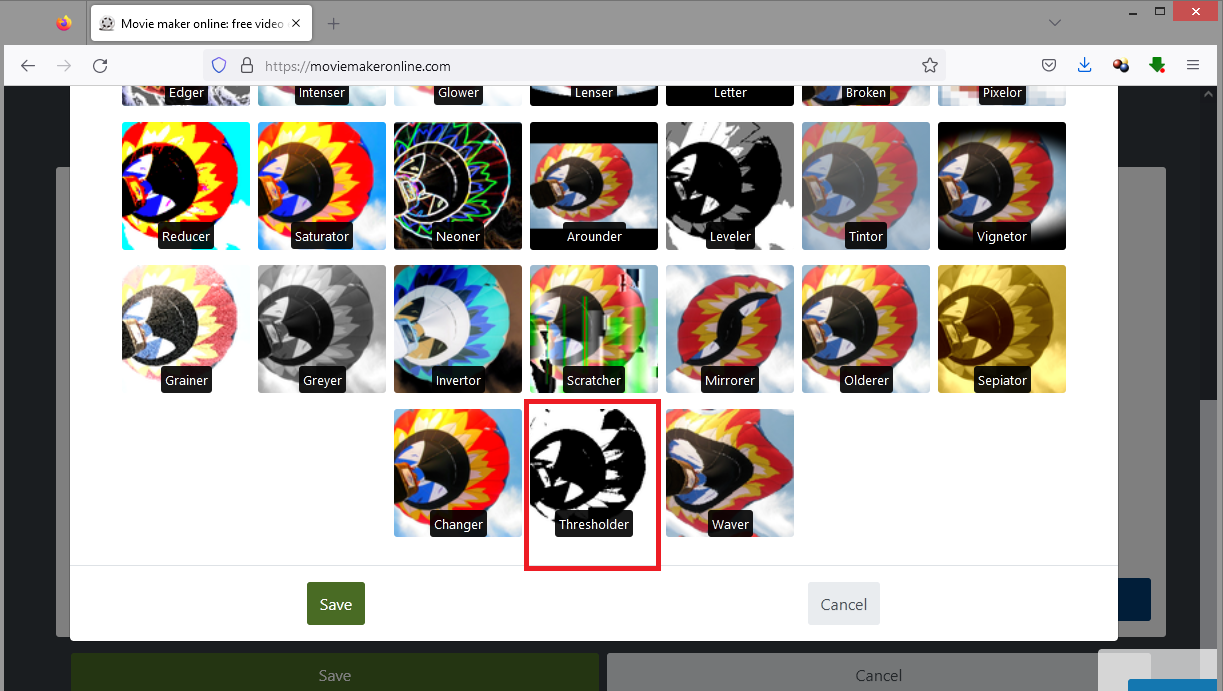
Choose the “Thresholder” option from the effects.
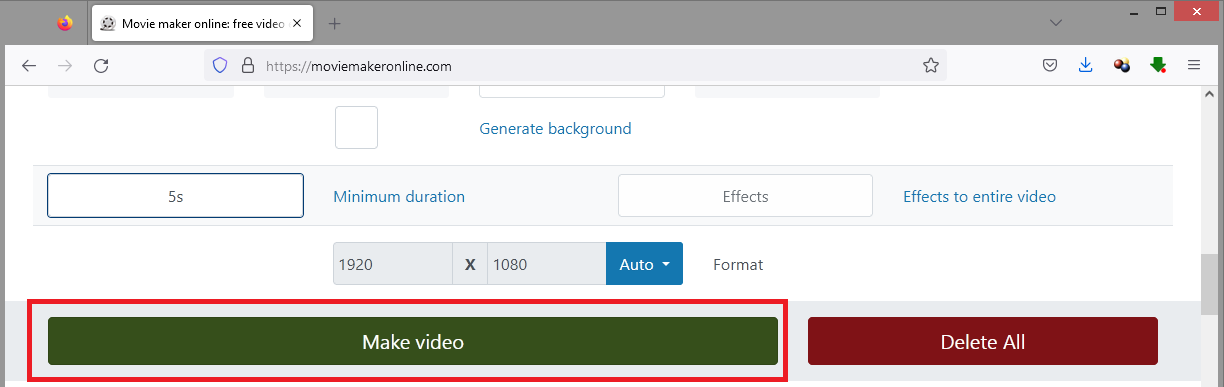
Click on the “Make Video” button and wait for the video to finish processing.
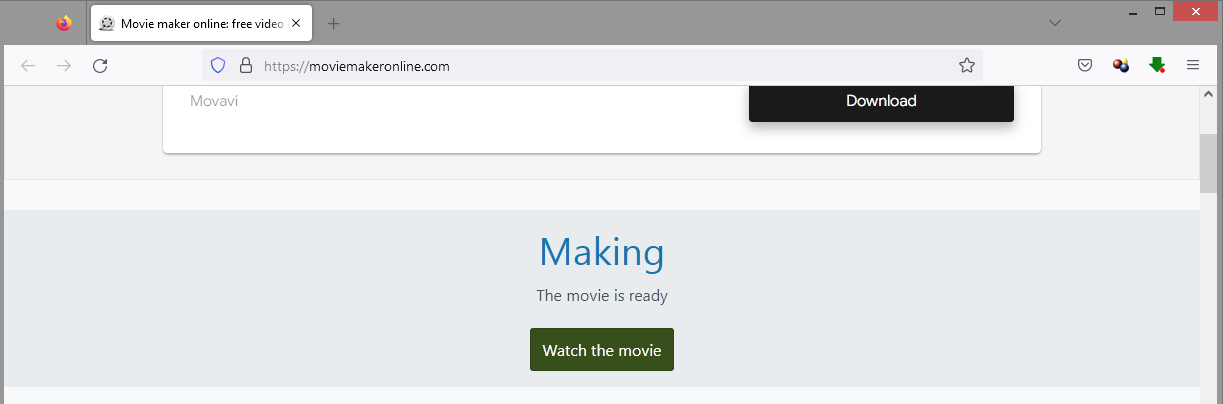
After the video is processed, click on the “Watch the Movie” icon.
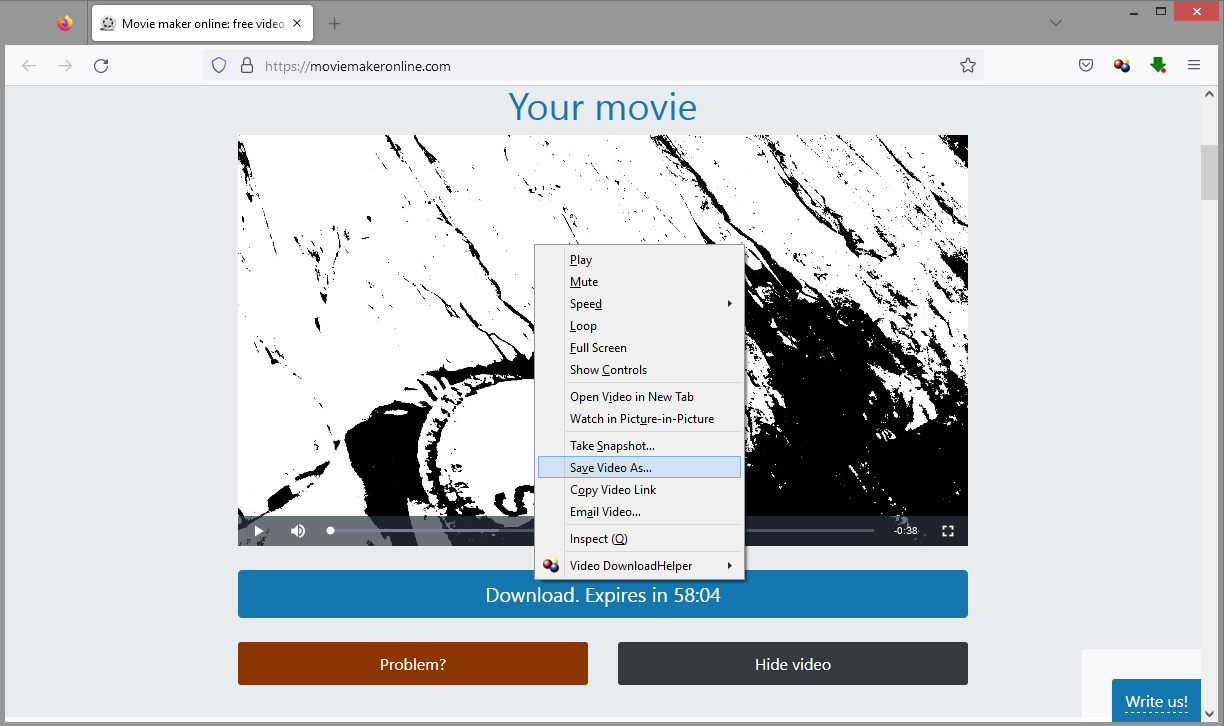
When the grayscale-d video plays, right-click and select the “Save Video As…”
Be sure to save the grayscale video under a different name.
The new grayscale video will still display a resolution of 1920×1080 and a frame rate of 30 fps.
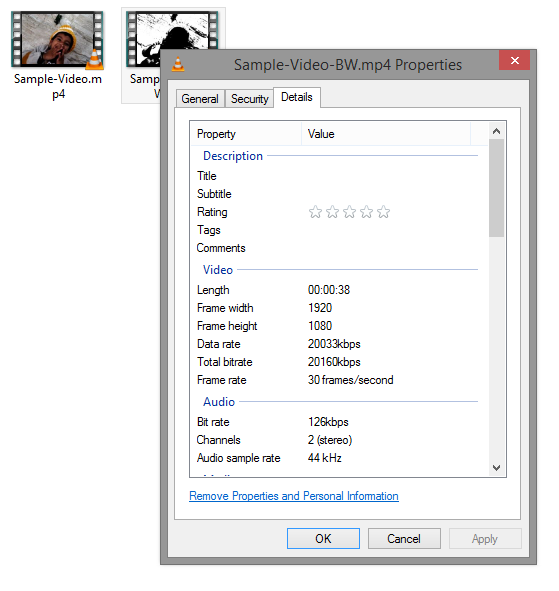
The grayscale video looks like this…
Trimming the video to size
Our OLED display has a resolution of 128×64, which does not match the video’s frame size. So, we must trim the resolution of the grayscale video to ensure the frames fit within the OLED display for proper viewing. It’s also necessary to reduce the frame rate.
To do, use a professional video editor. We use the VLC media player, which is a free and open-source cross-platform multimedia player. It can be downloaded for Microsoft Windows, macOS, and Linux.
Open the VLC media player and navigate to Media-> Convert/Save.
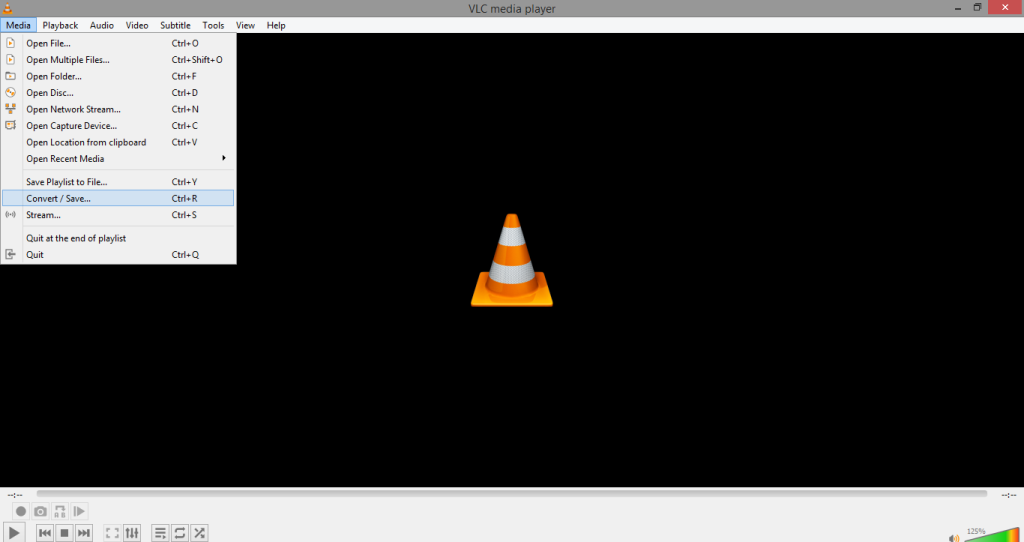
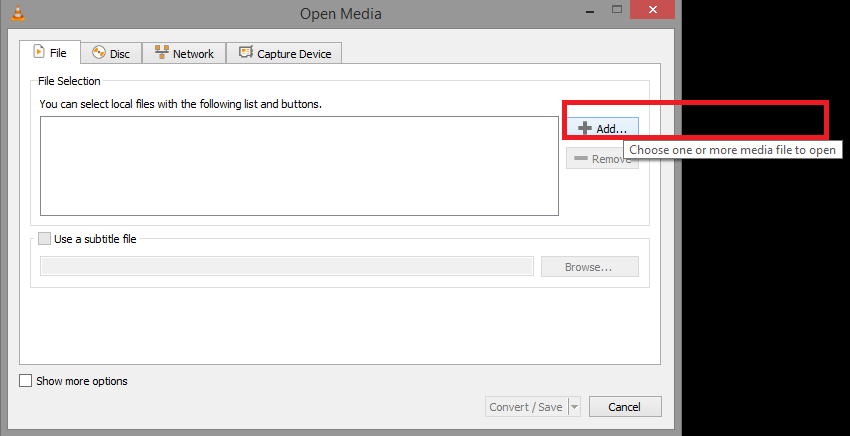
In the popup window, click on “Add.”
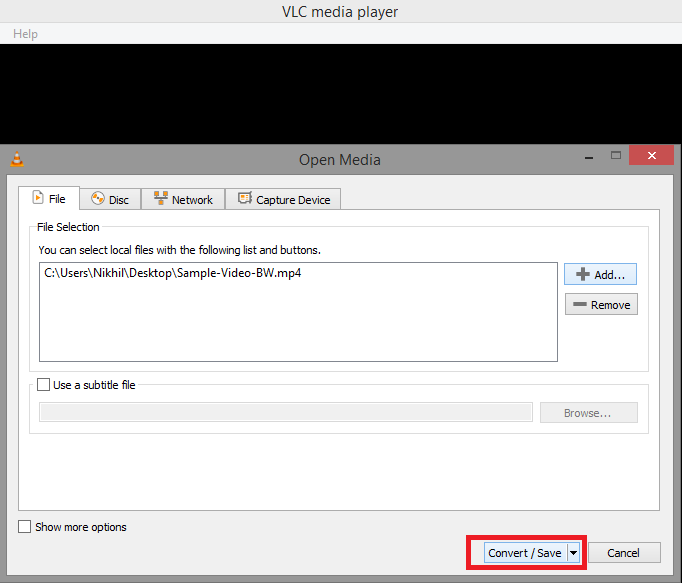
Next, select the target grayscale video and click on the “Convert/Save” button.
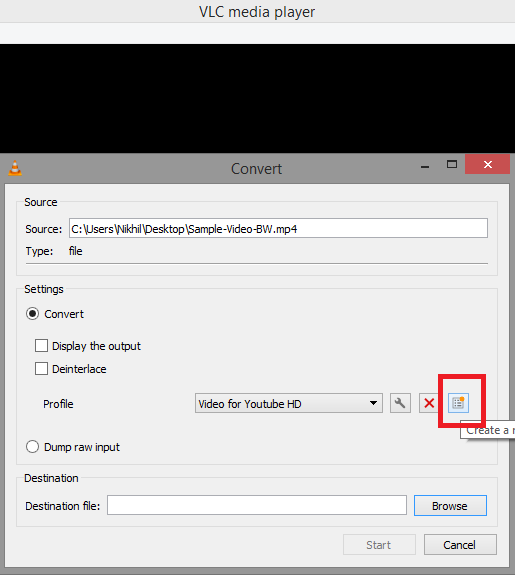
In the next window, click on the “Create a New Profile” button.
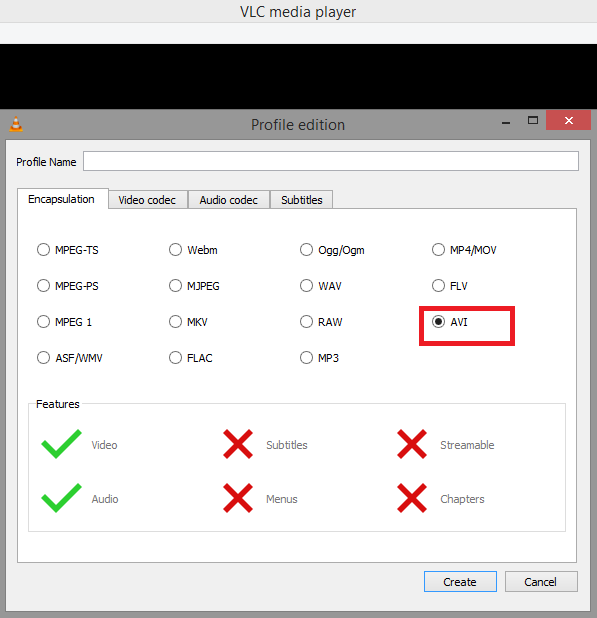
Next, select the “AVI” tab under “Encapsulation.”
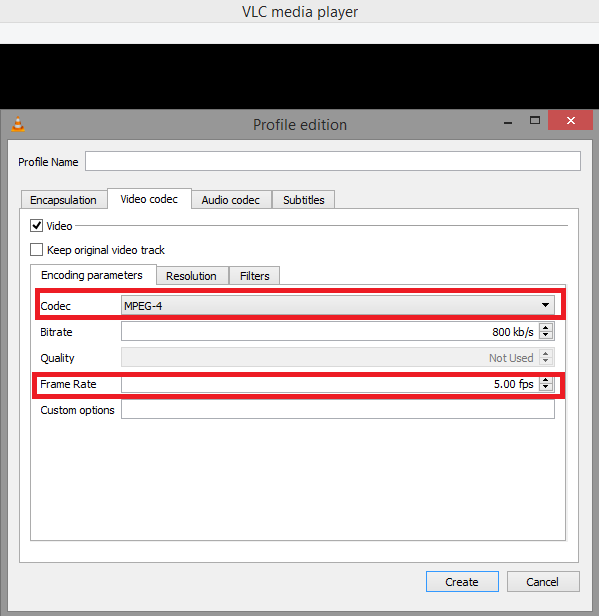
Now, change the Codec to “MPEG-4″and set the frame rate to 5 fps under the “Encoding Parameters” tab of the “Video Codec.”
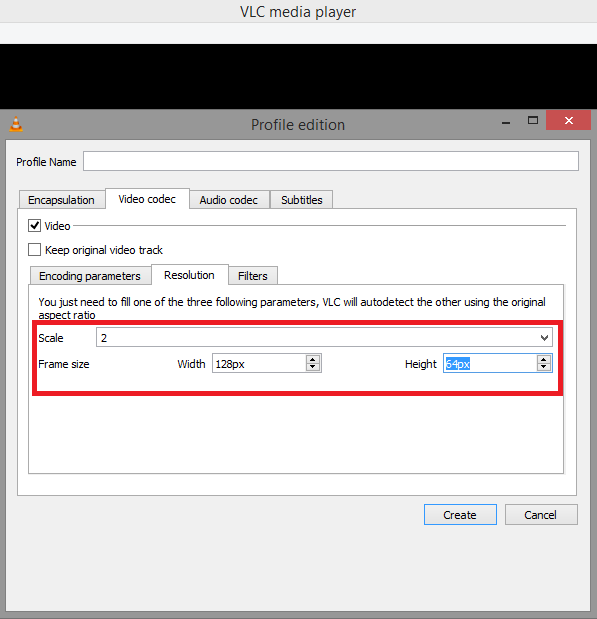
Ensure the scale is set to “2” as the SSD1306 has a resolution ratio of 2:1 (128:64). Also, set the frame size width to 128 and the height to 64 under the “Resolution” tab of the “Video Codec.”
Next, set the profile name to SSD1306.
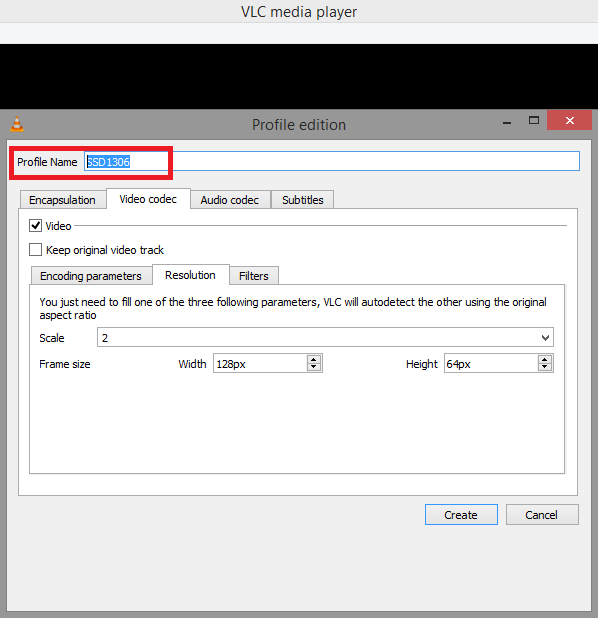
Click the “Create” button and you’ll return to the convert window. In the convert window, select the “SSD1306” profile and browse for a spot to save the converted video.
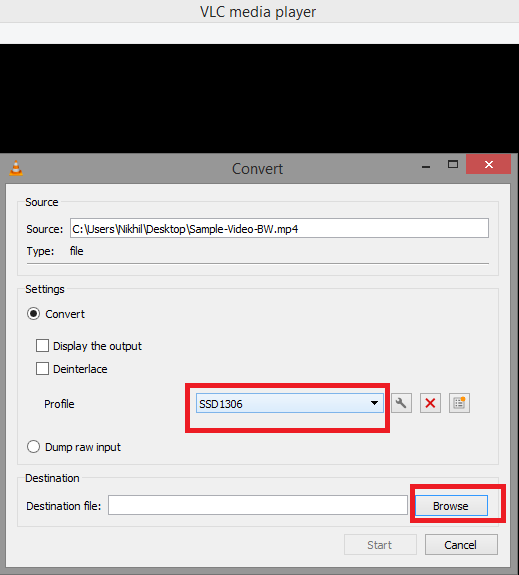
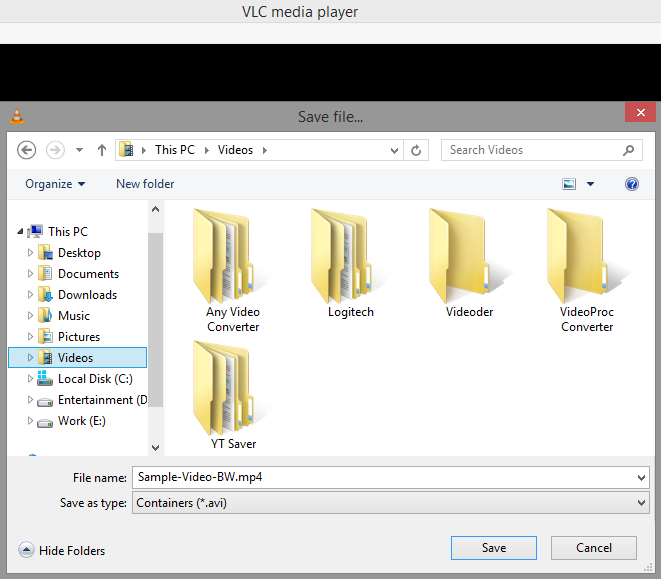
Click on the “Start” to finish the conversion.
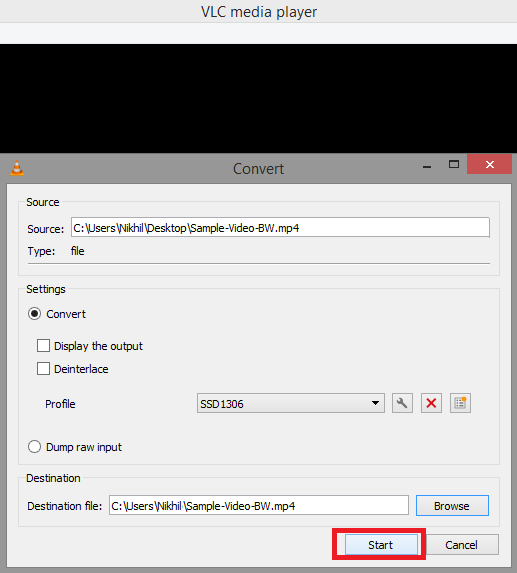
Now, we have a grayscale video with a resolution 128×64 and the frame rate is reduced to 5 fps.
[Link to Sample-Video-BWC]
Extracting the frames
Next, we must extract the frames from the 5-fps grayscale video. You’ll want to use a professional video editor for this, such as the VLC media player.
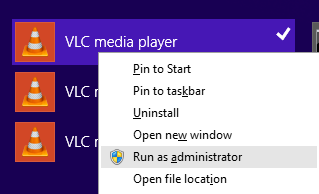
Run the VLC media player as the administrator.

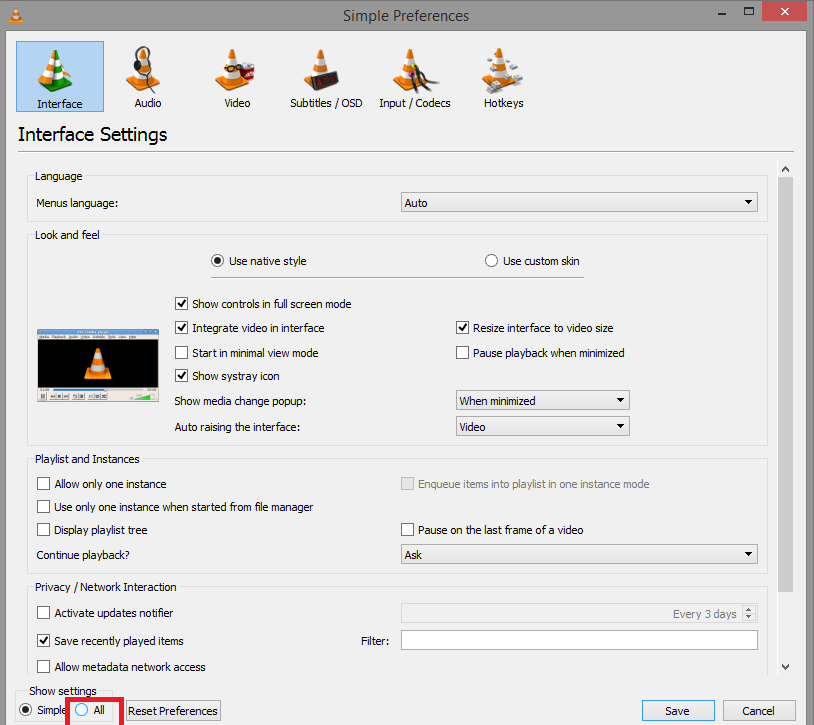
Click on ‘the “All” radio button under the “Show Settings.”
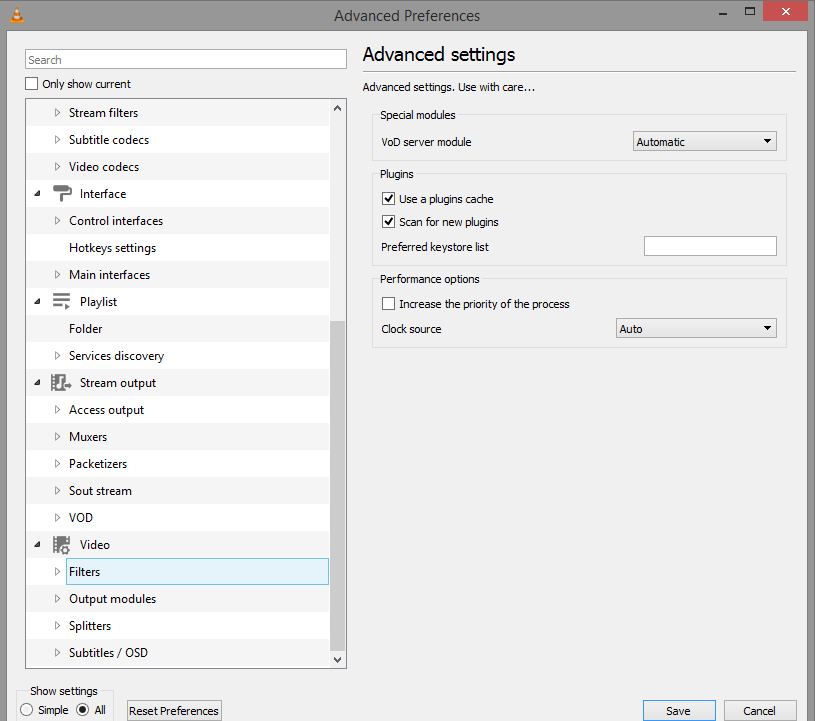
Navigate to Video->Filters.
Select the “Scene Filter” and set the image format to “jpg,” the filename prefix to “Frame,” and the recording ratio to “5.” Select a destination path to save the extracted frames by browsing the “Directory Path Prefix.” Then, click on “Save.”
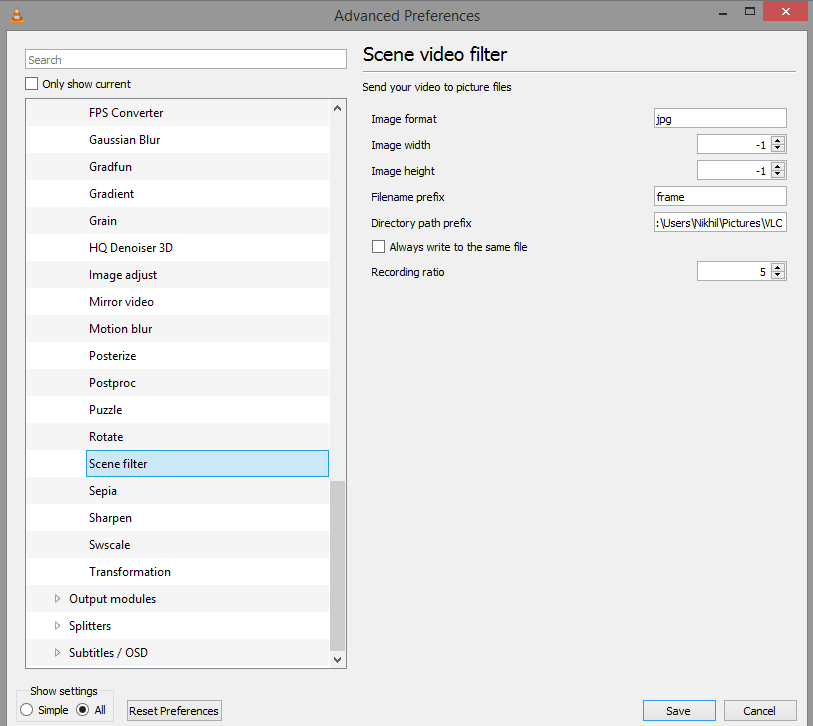
Once again, open “Preferences” and choose the “Scene Video Filter” option by navigating to Video->Filters. Be sure to click “Save.”
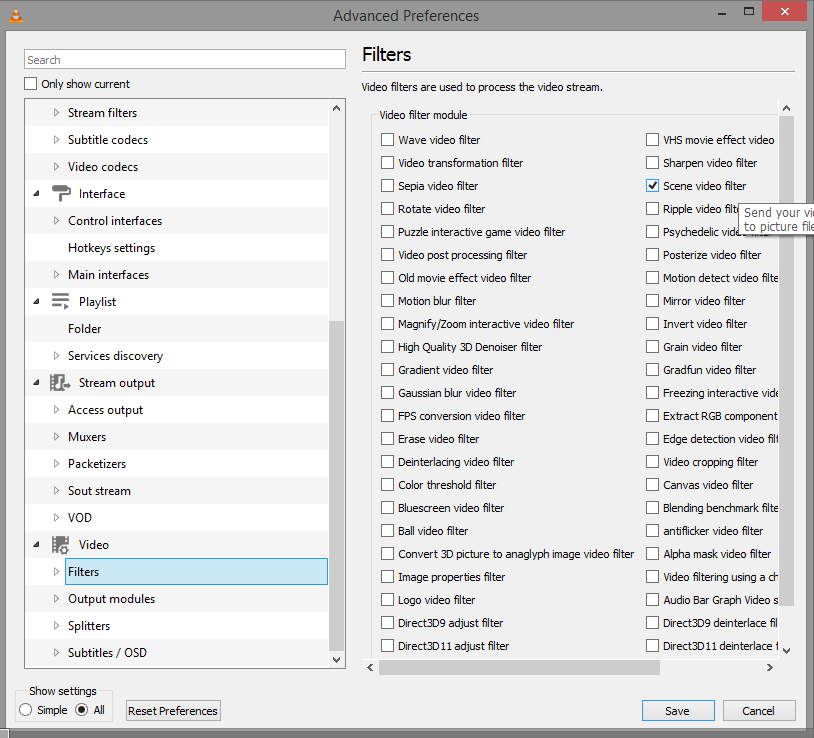
Close the VLC media player and re-run the administrator. Open and play the 5-fps grayscale video. The video frames will be extracted in the folder set under the “Directory Path Prefix.”
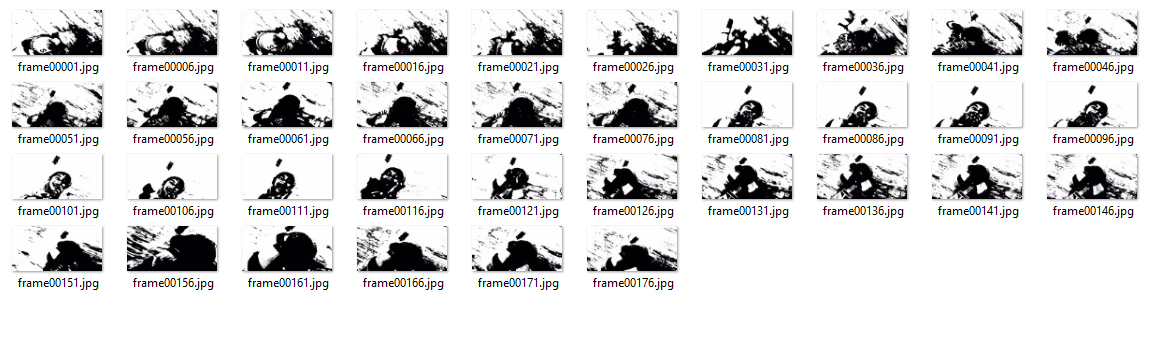 Converting the frames
Select the grayscale frames from the original video with a resolution 128×64 (the resolution of our OLED). Next, it’s necessary to convert the frames into a binary format. To do so, we must first convert the frames into C arrays using any online/offline image converter.
We use LGVL, which is available here.
What’s ideal is it’s possible to upload all the frames simultaneously to this online converter.
Upload the frames and select the color format to “CF_INDEXED_1_BIT.” Then, click on the “Convert” button.
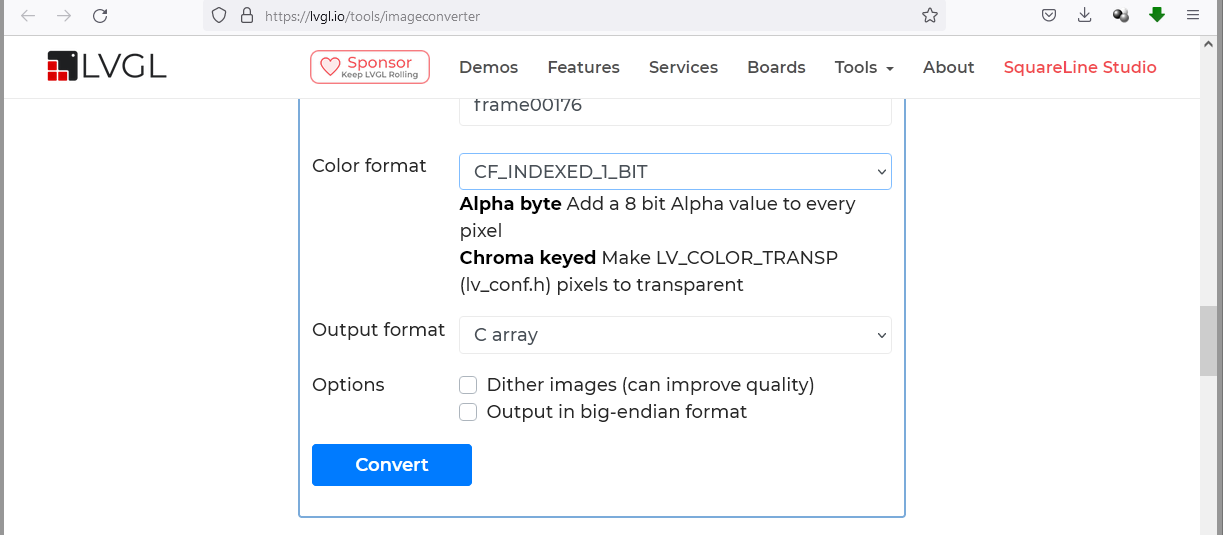
In return, we’ll receive the .c files containing a C array for each frame. We’ll only copy the 64 x 16 hexadecimal array from each file.

The libraries
To install the necessary libraries, open Arduino IDE and install Adafruit_GFX.h and Adafruit_SSD1306.h by navigating to Tools->Manage Libraries. We use ESP32-Dev-kit-V1 for this project, so “DOIT ESP32 DEVKIT V1” is selected by navigating to Tools->Board->ESP32.
The port is selected by navigating to Tools->Port.
The code
The sketch begins by importing SPI.h, Wire.h, Adafruit_GFX.h and Adafruit_SSD1306.h. These libraries are required for the SSD1306 OLED. The variables are defined to store the width and height of the OLED. The variables are also defined for the circuit connections of the OLED for use with ESP32.
An object “display” of the Adafruit_SSD1306 class is instantiated. The C arrays for each frame are stored in the PROGMEM as follows…
The C arrays for all the frames are enumerated in another array: epd_bitmap_allArray[].
In the setup function, the SSD1306 OLED is initiated by calling the display.begin(SSD1306_SWITCHCAPVCC) method.
In the loop() function, a “for loop” is run to clear the display, showing the bitmap array for each frame and providing a delay of 200 ms. All the video frames are played back as the “for loop” completes navigating through the epd_bitmap_allArray[] array. Finally, a delay of one second is aded to provide a pause to the playback.
Results
You may also like:

Filed Under: 8051 Microcontroller, Arduino Projects, Electronic Projects, Sensors, Tutorials
Questions related to this article?
👉Ask and discuss on EDAboard.com and Electro-Tech-Online.com forums.
Tell Us What You Think!!
You must be logged in to post a comment.