Raspberry Pi (RPi) is a popular microcomputer used for embedded systems design, hosting high-level applications that run over an operating system. Many of these applications have multiple active users with different permissions and access to system resources.
As a result, there may be situations when it’s important to know what users are sharing the device. Fortunately, there are several ways to get a list of RPi’s registered users on the Linux system.
In this article, we’ll discuss some of the common methods to obtain a list of RPi users.
Listing users on Raspberry Pi
There are multiple methods for listing users on RPi, including the following.
1. Using the ‘cat’ command
2. Using the ‘getent’ command
3. Using the ‘cut’ and ‘awk’ commands
4. Using the ‘id’ command
5. Using the ‘w’ or ‘who’ command
6. Using the ‘/etc/passwd’ file
7. Using lslogin command
8. Using the ‘cut’ command for group members
9. Using GUI
Using the ‘cat’ command
The cat command in RPi and other Linux or Unix-based operating systems is a basic utility that displays the contents of one or more text files on the terminal. Cat stands for concatenate, one of its primary functions. The command has this syntax:
cat [options] [file(s)]
The command can read data from a “passwd” file to obtain information about RPi’s users. The passwd file is present in all the Linux-based systems, including Raspberry Pi. It contains information about all users with access to the system.
The following command can be used to attain the users:
$ cat /etc/passwd
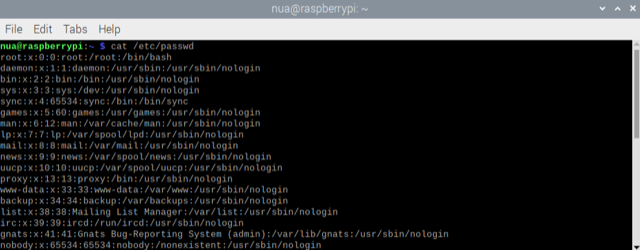
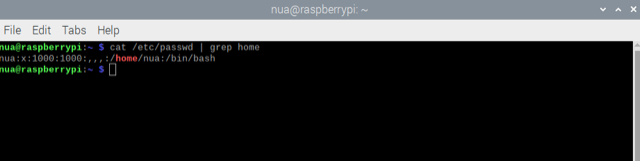
The command can be modified to obtain information about the users placed in the home directory by adding a filter using the ‘grep’ and ‘cat’ commands.
The grep command in RPi and other Linux/Unix-based operating systems is a powerful text-search utility used to search for specific patterns or strings within text files or the output of other commands. Grep stands for Global Regular Expression Print, which reflects its primary function of searching and printing lines that match a specified pattern.
The ‘cat’ and ‘grep’ commands can list the users of the home directory as follows:
$ cat /etc/passwd | grep home
Using the ‘getent’ command
The ‘getent’ command is another way to obtain information about RPi’s users. This command is a versatile utility that queries and retrieves information from various administrative databases. It can retrieve information about users, groups, hosts, networks, and other system-related data. It’s also particularly useful for getting data managed by database sources specified in the ‘/etc/nsswitch.conf’ configuration file.
It has this syntax:
getent database [key]
The database specifies the type of retrieval information available (e.g., the “passwd” for the user information, the group for group information, the host for the host information, etc.). The key is an optional parameter that can search for a specific entry within the database.
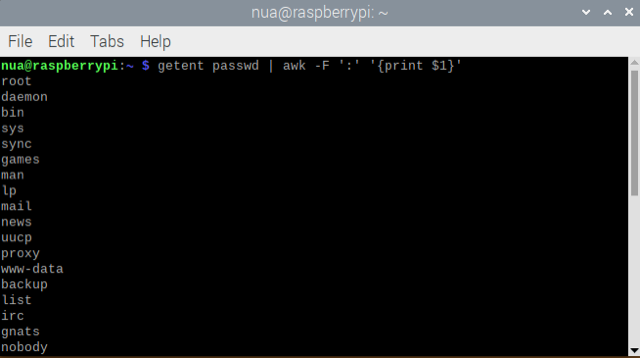
To get a list of RPi’s users, use the ‘getent’ and ‘awk’ commands as per below.
$ getent passwd | awk -F ‘:’ ‘{print $1}’
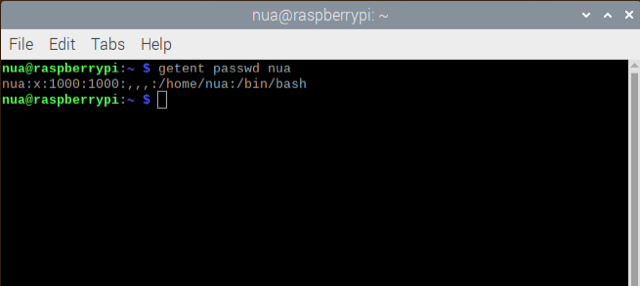
To obtain information about a specific user, use this command:
$ getent passwd <username>
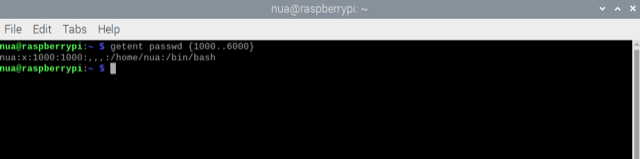
This command can also be used to sort a list of users within a specific range when it’s used with the ‘awk’ command as follows:
$ getent passwd {1000..6000}
Using the ‘cut’ and ‘awk’ commands
The ‘cut’ command in RPi and other Linux/Unix-based operating systems is a text-processing utility used to extract specific columns or fields from lines of text or delimited files. It’s useful for manipulating and processing structured data. This command can separate text into columns based on a delimiter character and then select specific columns for output. It has this syntax:
cut [options] [file(s)]
The ‘[options]’ are the optional flags that modify the behavior of the ‘cut’ command, including specifying the delimiter and selecting fields and ‘[file(s)].’ The ‘[file(s)]’ are the files from which the ‘cut’ command will read data.
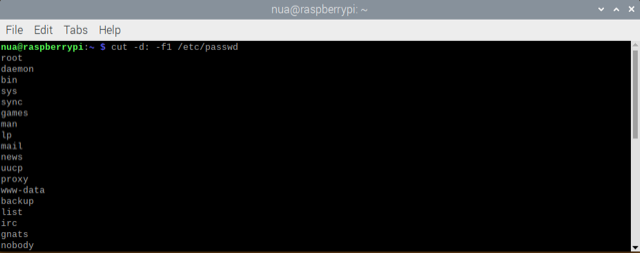
To obtain information about RPi’s users, the command can be used to extract information from the ‘passwd’ file as follows:
$ cut -d: -f1 /etc/passwd
The ‘awk’ command in RPi and other Unix-like operating systems is a versatile text-processing utility that allows you to process and manipulate text data in a highly flexible and programmable manner. This command is powerful when working with structured text files, such as CSV files, log files, and other tabular or delimited data. The command has this syntax:
awk [options] ‘program’ [file(s)]
The ‘[options]’ are the optional flags that modify the behavior of the ‘awk’ command. The ‘program’ is a series of ‘awk’ commands enclosed in single quotes that define the actions to be performed on each line of input. The ‘[file(s)]’ are the files from which the ‘awk’ command will read data.
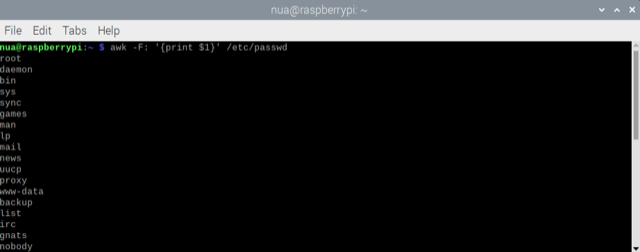
To obtain information about RPi’s users, this command can be used to extract information from the ‘passwd’ file as follows:
$ awk -F: ‘{print $1}’ /etc/passwd
Using the ‘id’ command
The ‘id’ command in Raspberry Pi and other Unix-like operating systems displays information about a user or group, including their user and group IDs (UID and GID), supplementary group IDs, and further details related to the user or group’s identity and privileges.
This command can help you quickly access information about the current user or a specific user or group on the system. The command has this syntax:
id [options] [username]
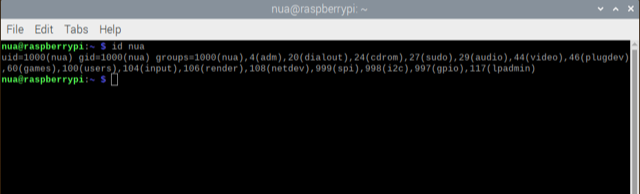
The ‘[options]’ are the optional flags that modify the behavior of the ‘id’ command. The ‘[username]’ is an optional argument specifying the username you want to display. If this is not specified, it defaults to the current user. The command can be used to get information about a specific RPi user as follows:
$ id <username>
Using the ‘w’ or ‘who’ commands
The ‘w’ command in Raspberry Pi and other Unix-like operating systems displays information about currently logged-in users and their activities. It provides a summary of who’s logged into the system, what they’re doing, and where they’re connected from. This command is useful for system administrators to monitor user sessions and resource use. The command has this syntax:
w [options]
The ‘ [options]’ are the optional flags that modify the behavior of the ‘w’ command. It’s executed as follows:
$ w
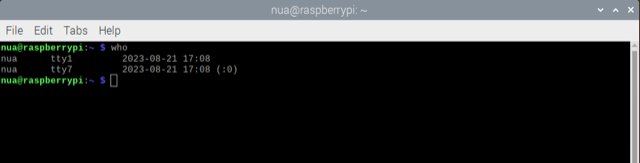
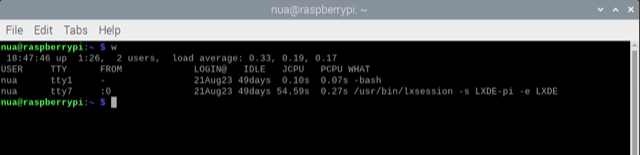 The ‘who’ command in Raspberry Pi and other Unix-like operating systems displays information about currently logged-in users. It provides a summary of who’s logged into the system, including details about their login sessions — such as the username, terminal or pseudo-terminal, login time, and remote IP address or hostname (if applicable).
While the ‘w’ command provides detailed information, including the terminal they are using, the ‘who’ command offers a simpler list. It has this syntax:
who [options]
The ‘ [options]’ are the optional flags that modify the behavior of the ‘who’ command. It’s executed as follows:
$ who
Using the /etc/passwd file
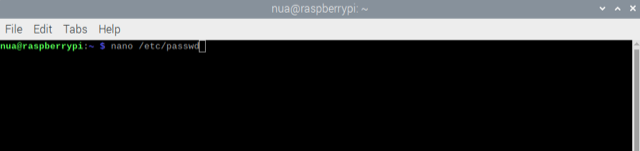
The information about RPi’s users can also be obtained by directly accessing the ‘passwd’ file using a text editor or pager like ‘nano’ or ‘less.’ It can be accessed as follows:
$ nano /etc/passwd
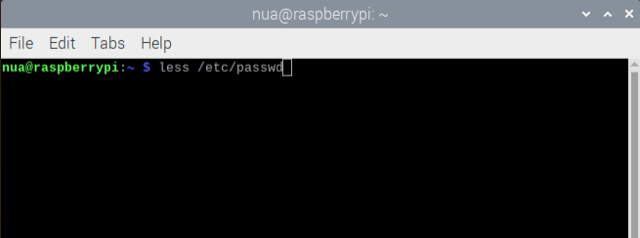
The ‘passwd’ file can be accessed using the less pager as follows:
$ less /etc/passwd
Using the ‘lslogin’ command
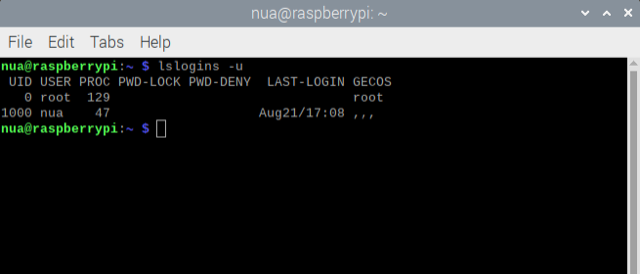
The ‘lslogin’ command lists all of RPi or any other Linux-based system’s current login sessions. It can be used to get information about the users who are logged in, the terminals they’re using, and the time they log in.
To list the current login sessions on your RPi, type the following command:
$ lslogin -u
Using the ‘cut’ command for group members
To list users belonging to a specific group, use the ‘cut’ and ‘grep’ commands as follows:
grep ‘^<groupname>:’ /etc/group | cut -d: -f4
Using GUI
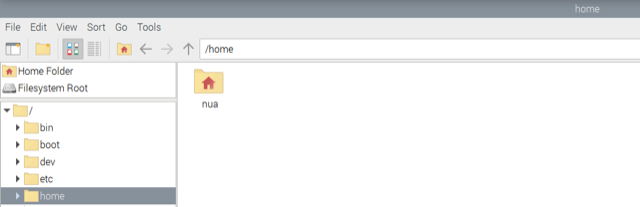
In the desktop mode, a list of RPi users can be found by opening the file manager and navigating to the ‘home’ folder. In this folder, there are additional folders of all of the RPi’s users.
Conclusion
There are multiple ways to get information about Raspberry Pi’s users. Most of these methods access the ‘passwd’ file and manipulate its content. For example, information about users who are currently logged in can be obtained through commands like ‘w,’ ‘who,’ and ‘lslogins’. A folder for each user is in RPi’s home directory, which includes the names of all of the users.
You may also like:




Filed Under: Electronic Projects, Raspberry pi, Tutorials
Questions related to this article?
👉Ask and discuss on Electro-Tech-Online.com and EDAboard.com forums.
Tell Us What You Think!!
You must be logged in to post a comment.